
AiPLAY Tutorial

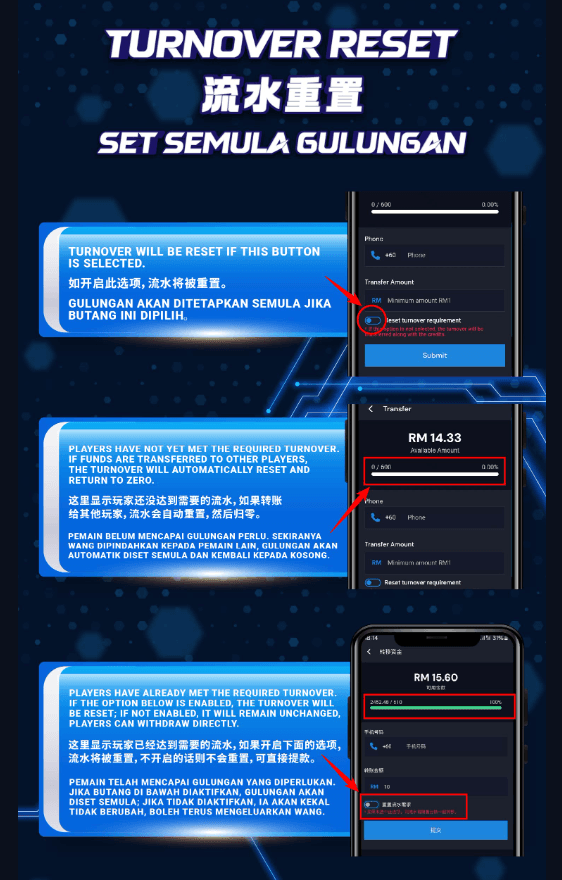
Turnover Reset: Essential Information
Important Notice: Clicking the "Turnover Reset" button will reset your current turnover to zero.
For Players Still Working on Their Turnover
Haven't reached your required turnover yet? Important reminder: transferring funds to other players will reset your turnover to zero. Ensure you complete your turnover requirement before initiating any transfers!
For Players Who've Hit Their Turnover Target
Congratulations on reaching your turnover goal! You now have options. Enable the reset toggle below to reset your turnover, or leave it disabled to maintain your current status and proceed with withdrawals seamlessly.
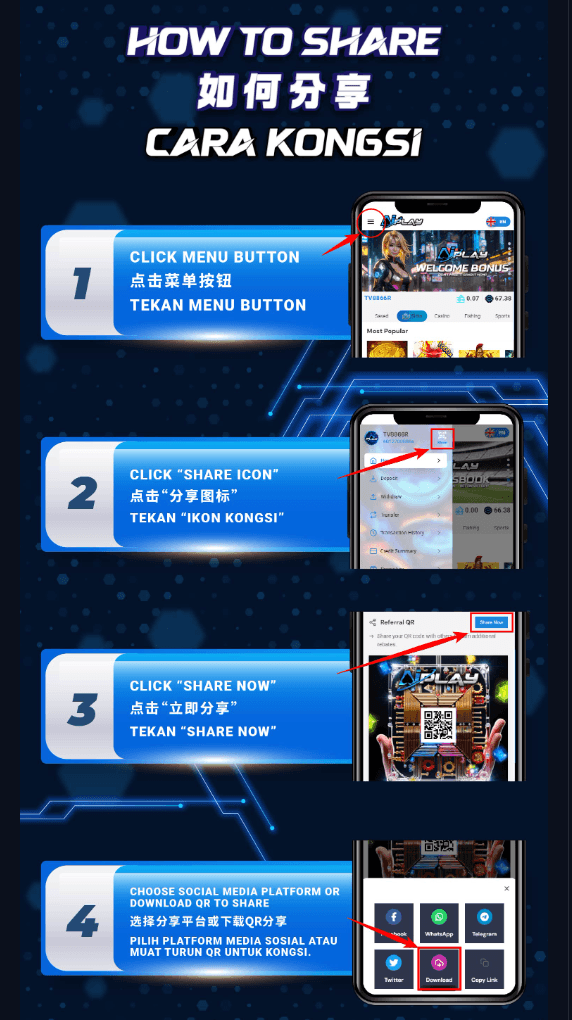
How to Share Tutorial
Ready to share AiPLAY with others? It's incredibly simple! Follow these easy steps:
1. Click the Menu Button
Begin by clicking the menu button on your dashboard to reveal all available options.
2. Click the "Share Icon"
Locate and click the "Share" icon in your menu—it's easy to find!
3. Click "Share Now"
Once you're in the share section, click "Share Now" to begin the sharing process.
4. Choose Your Sharing Method
Select your preferred social media platform for direct sharing, or download the QR code to share through any method you prefer!
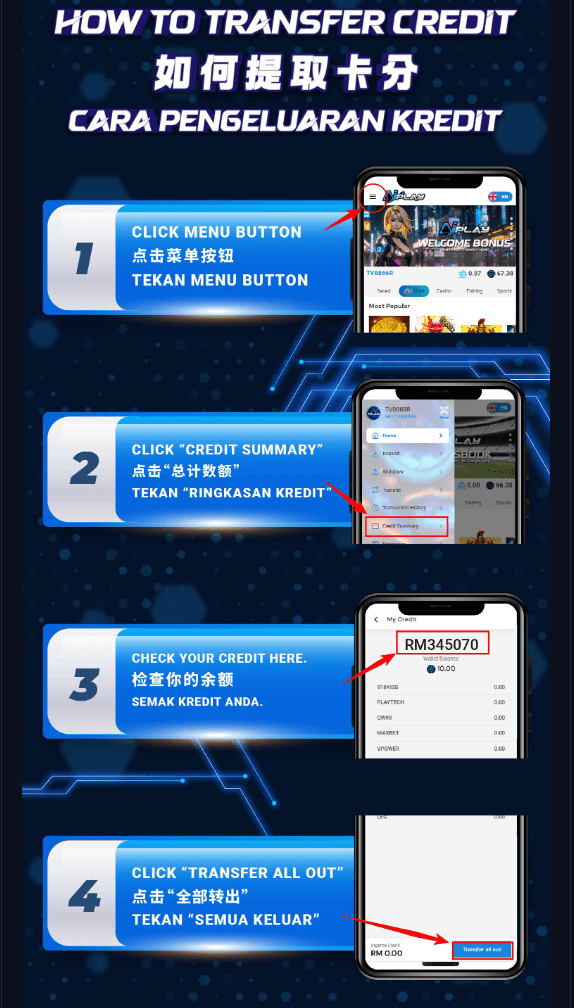
How to Transfer Credit
Transferring credit is quick and straightforward! Follow these simple steps:
Click the Menu Button
Start by clicking the menu button on your dashboard to access all options.
Click "Credit Summary"
Select "Credit Summary" from the menu to view your current available credit balance.
Check Your Credit Here
Review your credit balance to confirm the amount available for transfer.
Click "Transfer All Out"
Complete the process by clicking "Transfer All Out" to transfer your credit as needed.
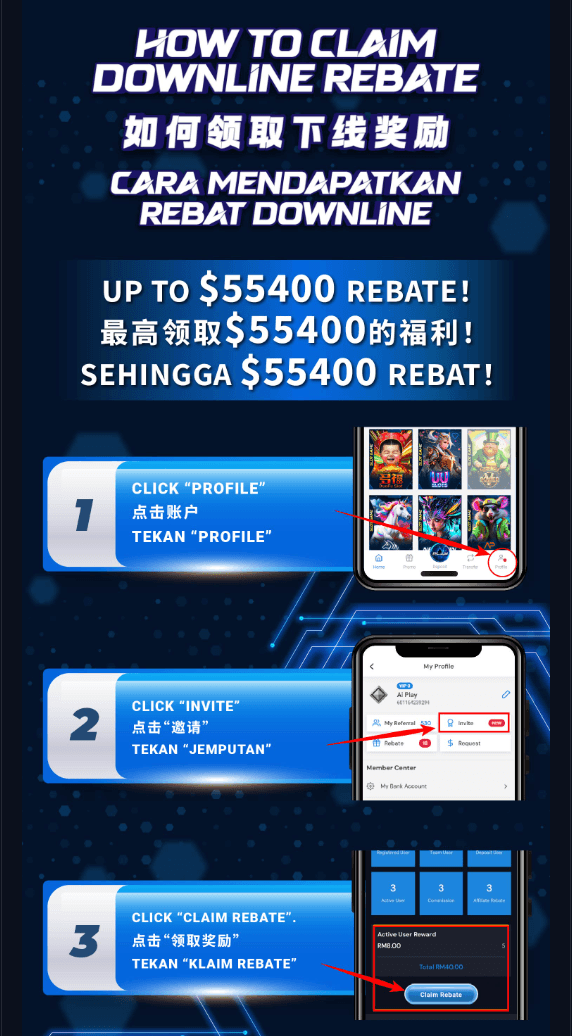
How to Claim Your Downline Rebate
Ready to claim your downline rebate? You could earn up to $55,400—an exciting opportunity! Follow these straightforward steps to claim your rebate:
Click "Profile"
Begin by clicking your profile icon to access your account settings and preferences.
Click "Invite"
Navigate to the "Invite" section to view your referral activity and statistics.
Click "Claim Rebate"
Complete the process by clicking "Claim Rebate" to secure your earned rebate!
Start Playing Today!
Join AiPLAY now to unlock unlimited entertainment and rewarding experiences. Your gaming adventure begins here—click the button below to elevate your experience!
Register Here